Challenge accepted: controlling Teams from my Stream Deck again
June 01, 2026 15:09Microsoft has unfortunately deprecated the Teams integration APIs — the same ones that let apps like the official Stream Deck Teams plugin control Teams from the outside. One day my nice meeting buttons just… stopped working. Annoying? Absolutely. But also: challenge accepted.
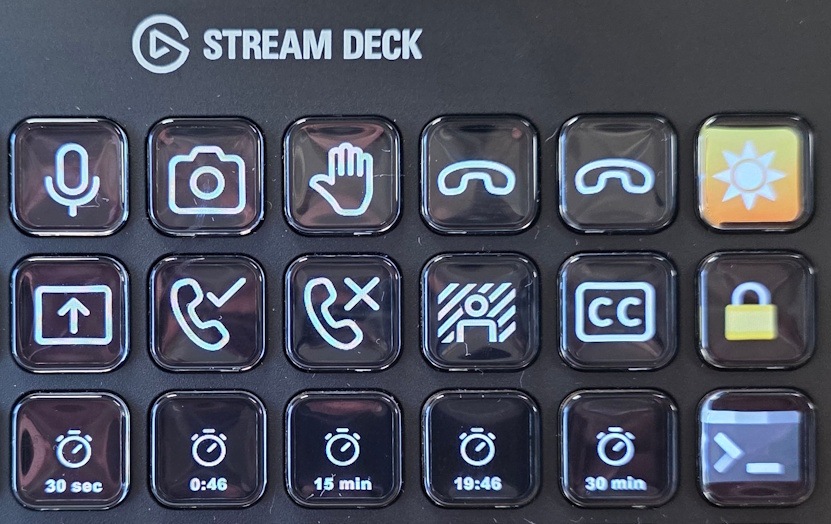
After a bit of tinkering, I landed on a solution that works near perfectly, and honestly, I kind of love how hacky it is.
Here's the whole trick:
- A set of gorgeous icons from Vivre Motion.
- AutoHotkey v2 installed to run the logic.
- A tiny script — teams-hotkey.ahk — that finds the live Teams meeting window and fires a keyboard shortcut at it.
- Each Stream Deck button just runs that script and passes in the right shortcut.
That's it. Mute, camera, raise hand, hang up, and share all work great. A couple of things don't (accept/decline call, background blur, closed captions, and the meeting reaction emojis — those simply have no keyboard shortcut). I've documented exactly what works and what doesn't, so there are no surprises.
I even added a few quality-of-life buttons around it: a sun button to toggle my three Elgato key lights, a "hang up and turn off the lights" multi-action (because I always forget), a lock-the-computer button, timers, and a quick launch for Windows Terminal.
I cleaned the whole thing up into a small repo so you can grab it, copy it, and tweak it for your own setup. It's MIT-licensed — go wild:
github.com/noopman/Stream-Deck-setup
The icons aren't mine to hand out, so I credit and link Vivre Motion in the repo rather than bundling them — go support them, the icon set is lovely.
Geeky? Oh yes. But sometimes the best fix for a rug-pull is rolling your own. If you give it a spin or improve on it, I'd love to hear about it!